My Account
User Menu
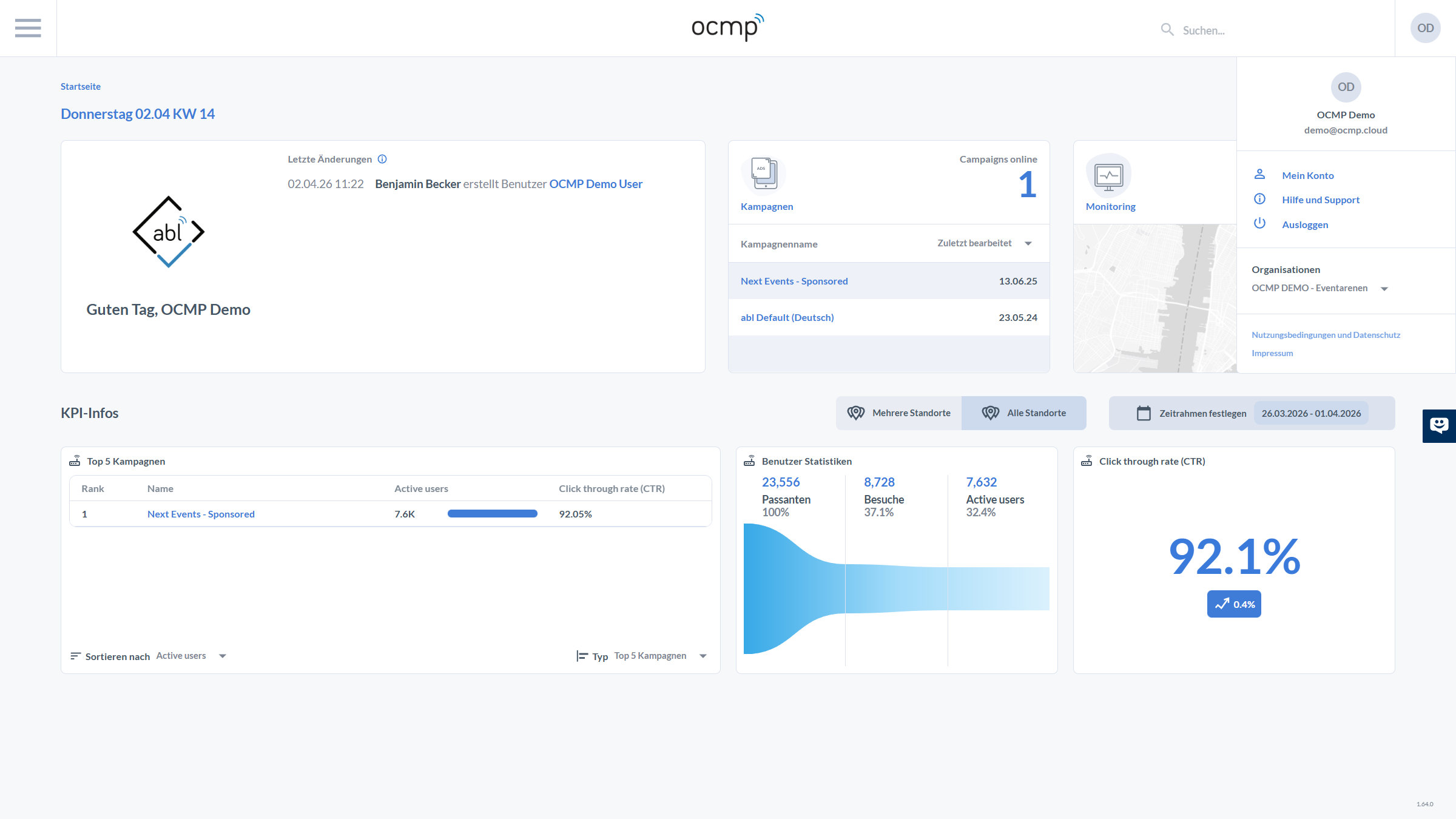
Clicking the round icon in the top-right corner, which shows the initials of the current user, opens a menu with the options My Account, Help and support, and Logout. Above these options, the display name "OCMP Demo" and the email address are shown. The currently assigned organizations are also listed, together with links to the terms of use and the legal notice.
My Account
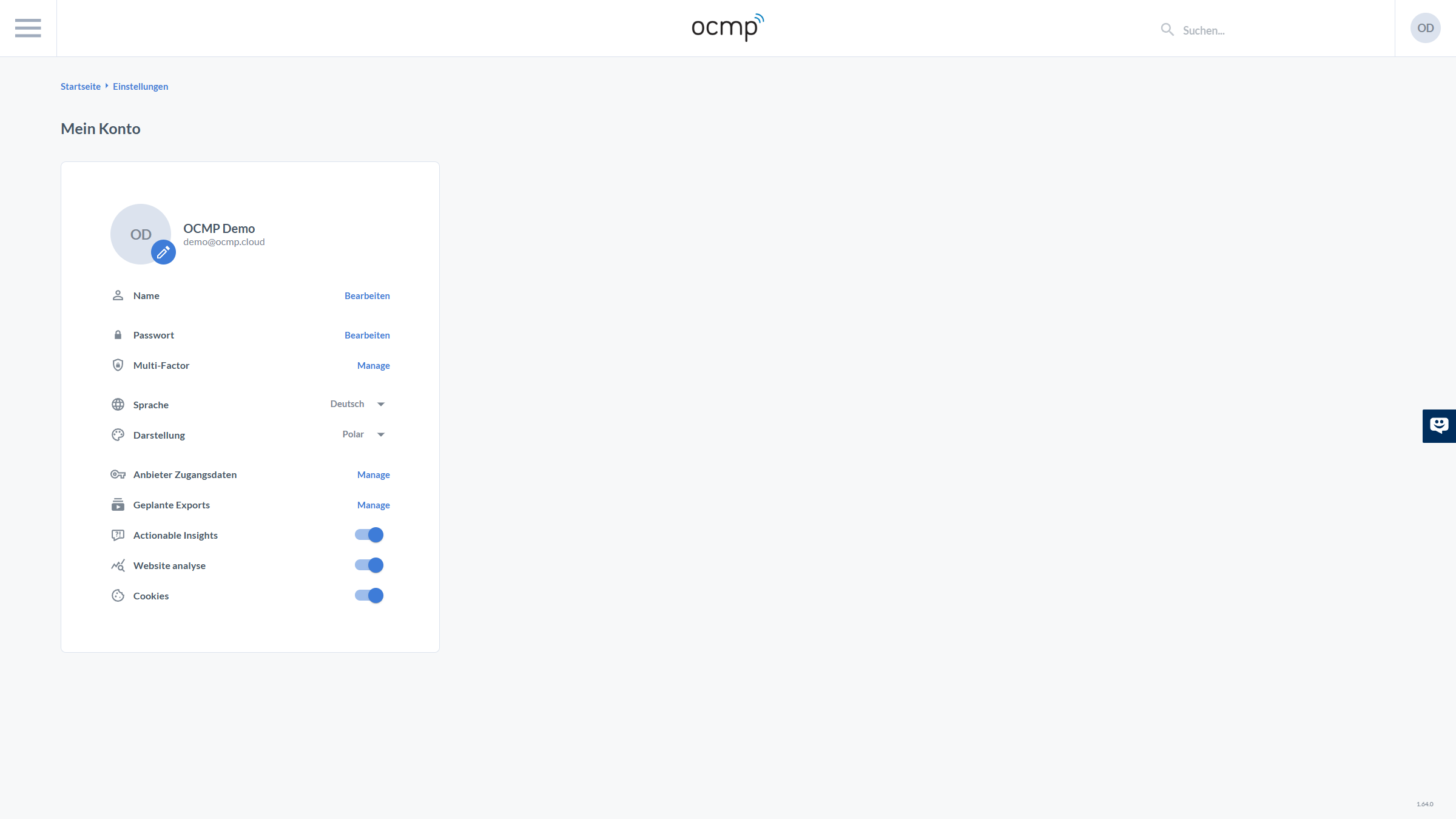
The My Account page lists all personal user settings. In the upper-left area, you can see the username, email address, and a pencil icon to change the avatar. Below that, the following configuration options are available:
- Name / Password / Multi-factor authentication: Both Name and Password provide a Change link that opens a side panel. Under Multi-factor authentication, the Manage link opens the 2FA settings.
- Language & Theme: Dropdown menus allow you to adjust the language, such as English, and the theme, such as Polar or other available themes.
- Provider Credentials & Scheduled exports: Links to additional administration options.
- Actionable Insights, Collect website analytics, and Cookies: Toggle switches that define whether the platform should generate actionable recommendations based on collected data, whether website analytics should be performed, and whether cookies may be used.
Changing the Password
If you select the Change link next to Password on the My Account page, a side panel appears. There, you must first enter the old password and then the new password twice. On the right-hand side, the minimum requirements are listed: at least eight characters including upper- and lowercase letters, a number, and a symbol. The two new passwords must match. Clicking Save updates the password, while Cancel aborts the process.
Two-Factor Authentication
The Manage link in the Multi-factor authentication row opens a settings panel where two-factor authentication can be enabled. A QR code and a secret key are displayed, which can be entered into an authenticator app. A verification code must then be entered to activate 2FA. For security reasons, this guide does not include an image of the secret key.
Additional Settings
At the bottom of the My Account page, there are three toggle fields:
- Actionable Insights: Enables the display of actionable recommendations based on collected location and campaign data.
- Collect website analytics: Controls whether the platform collects and evaluates analytics data about website usage.
- Cookies: Determines whether non-essential cookies may be set. This setting is relevant for data protection and personalization.
These options give users control over data collection and privacy within the OCMP platform.