Multilingual
The translation view is designed as a three-column editor so that you can reliably maintain content as original versus translation. At the top, there is a note indicating that translations may first need to be enabled in the basic view.
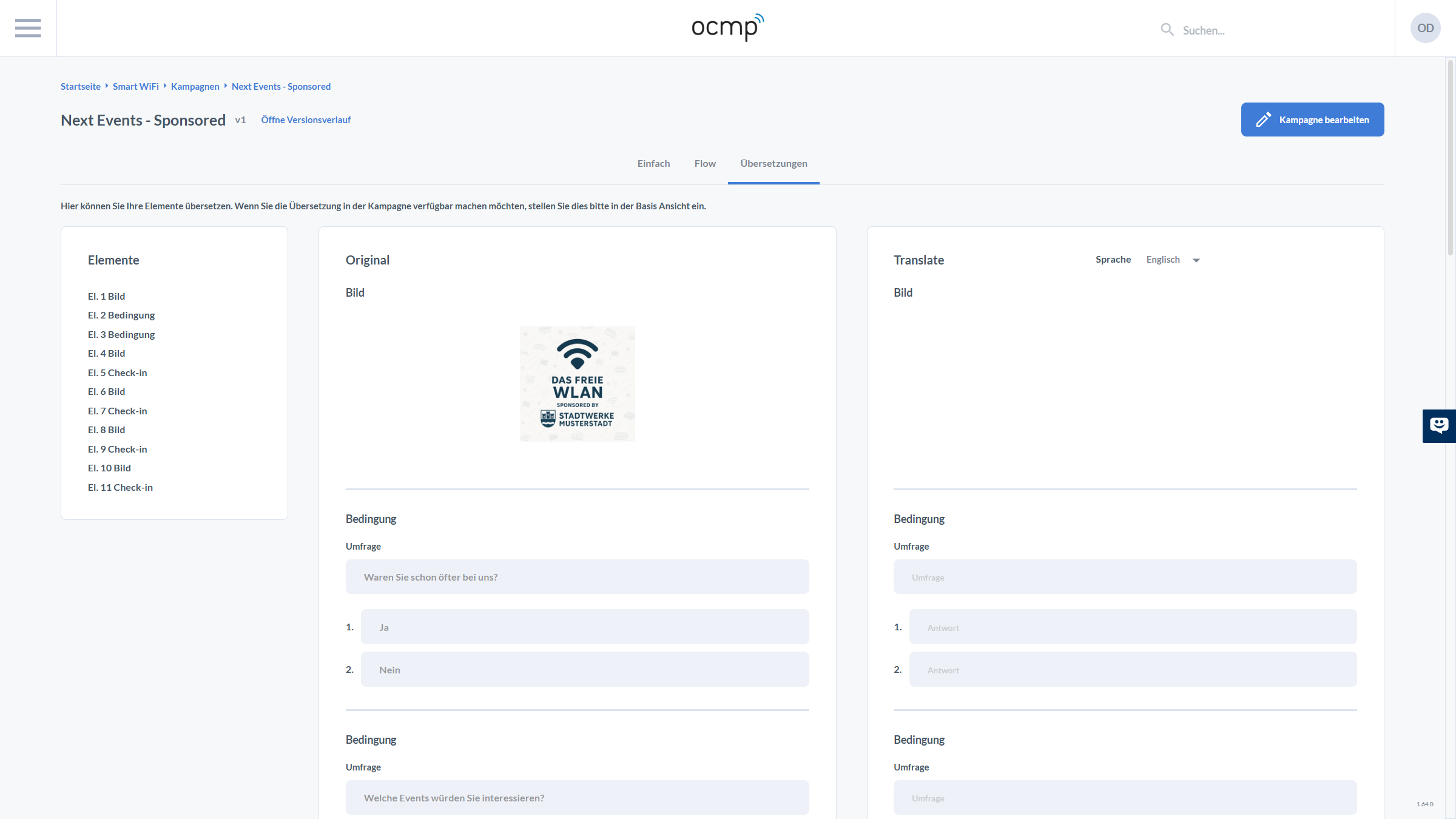
On the left, under Elements, you can see a list of all campaign elements, numbered by sequence. This list is your navigation: you select the element that should be translated.
In the middle column, under Original, the content of the selected element is displayed. For image elements, this is a preview. For condition elements, you see the question and answer options in filled fields.
On the right, under Translate, you choose the target language via the Language dropdown, for example English. Below that, the translatable fields appear as inputs with placeholders. For a condition, this means transferring both the question and each individual answer into the target language fields. This prevents only parts of a condition from being translated.