Cisco Meraki
Onboarding for Using the OCMP Splash Page (Smart WiFi)
After onboarding in the Meraki dashboard, all access points created in OCMP will display the configured WiFi campaign. The assignment is based on the MAC address.
Configuring Meraki Access Control
In this step, you enable the splash page for the desired SSID and make sure that the OCMP splash page can be reached before authentication.
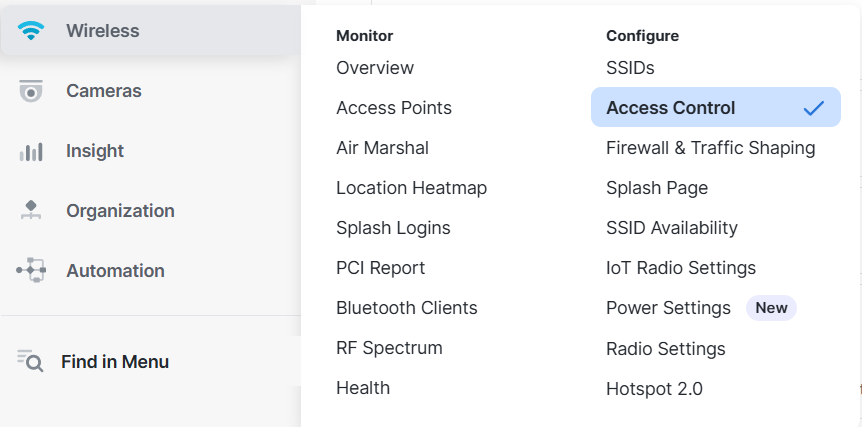
Proceed as follows:
- Open Wireless > Configure > Access control.
- Select the SSID you want to configure at the top.
- Set the splash page to Click-through.
- Open the Advanced splash settings section below.
- Set Captive portal strength to Block all access until sign-on is complete.
- Enable the Walled garden.
- Enter the domain
campaign.abl-portal.comunder Walled garden ranges. - Leave Controller disconnection behavior at the default configuration shown.
- Save with Save changes.
Example view:
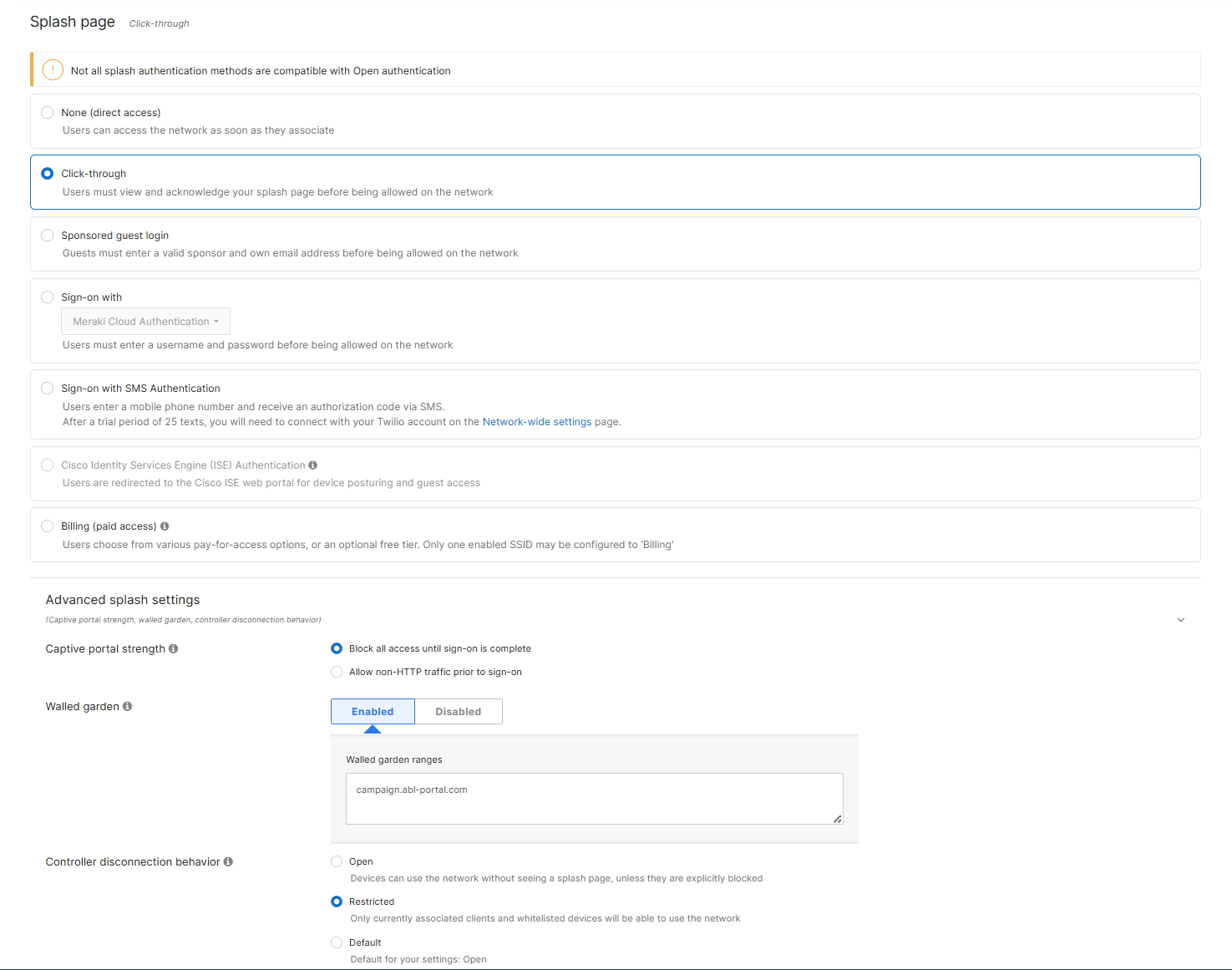
This ensures that clients are first directed to the splash page when they connect and that the OCMP page can still be loaded despite the upstream access restriction.
Configuring the Meraki Splash Page
In the next step, store the OCMP URL as an external splash page.
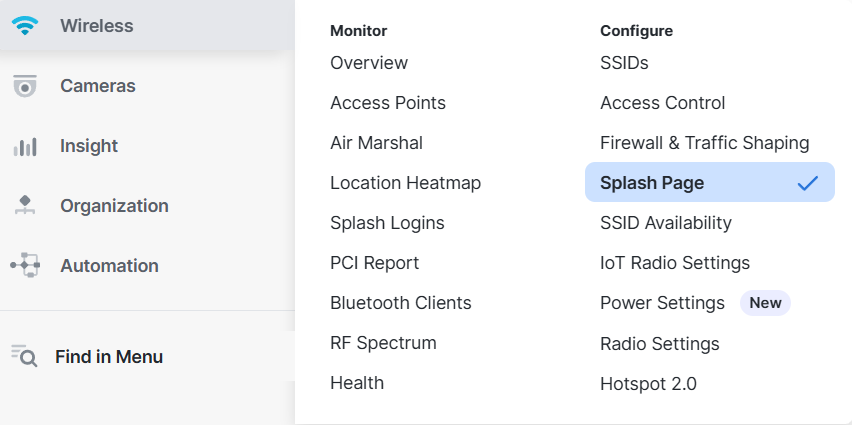
Proceed as follows:
- Open Wireless > Configure > Splash page.
- Select the relevant SSID at the top.
- Scroll to the Custom splash URL section.
- Select Or provide a URL where users will be redirected.
- Enter the URL
https://campaign.abl-portal.com. - Save with Save changes.
Example view:
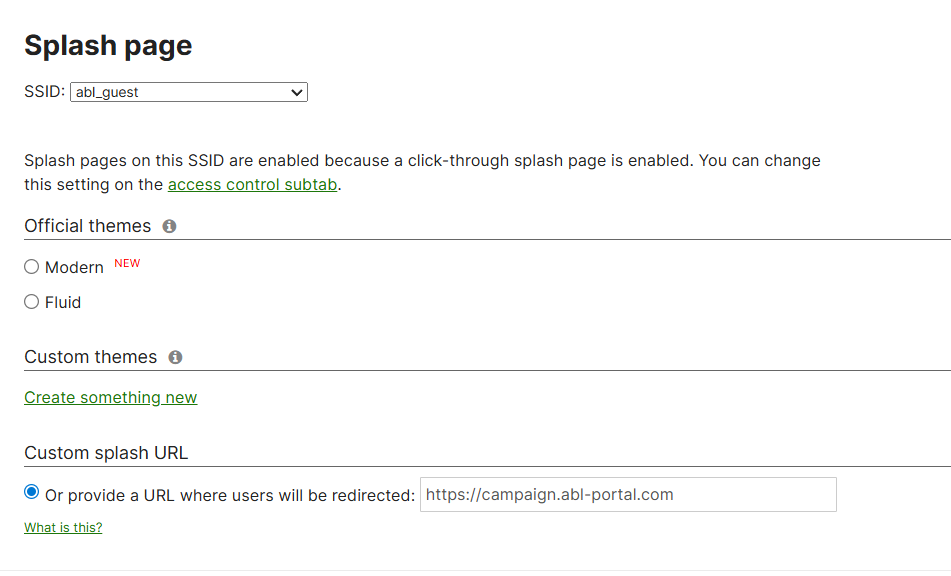
The splash page is now stored in Meraki. When users connect to the configured SSID, they will be redirected to the OCMP splash page.
Next Steps
If no Smart WiFi campaign has been created in OCMP yet, you can find the documentation here: Smart WiFi - WiFi Campaigns
If a Smart WiFi campaign already exists in OCMP, you can find the documentation here: Smart WiFi - Linking & Control
Troubleshooting
If the splash page does not load, first check:
- whether the correct SSID was selected
- whether Click-through is active
- whether the Walled garden was enabled
- whether
campaign.abl-portal.comhas been entered in the Walled Garden - whether the Custom splash URL has been stored correctly
If the page remains white or loads incompletely, an entry in the Walled Garden is usually missing or the configuration has not yet been saved.